Dreamer AIContact
JoyTu effect studioPhoto & Video4.7 on App Store

Dreamer AI for quick visual transformations

Turn one photo into a whole wall of playful AI looks.

JoyTu app icon

AI Video Maker: JoyTu

AI videos, portraits, dress-up ideas, and photo glow-ups in one place.

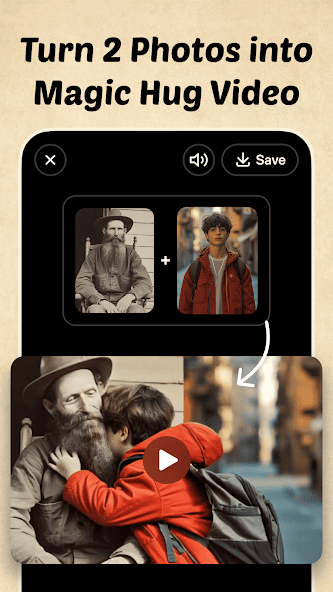
JoyTu magic hug video effect preview
01Magic Hug
JoyTu live meme effect preview
02Live Memes
JoyTu LinkedIn headshot generator screen
03Headshots
JoyTu AI avatar and yearbook style preview
04AI Avatars
JoyTu photo style effect preview
05Photo Styles

Effect Wall

A brighter way to browse AI effects.

01AI effect videos
02Hug and dance presets
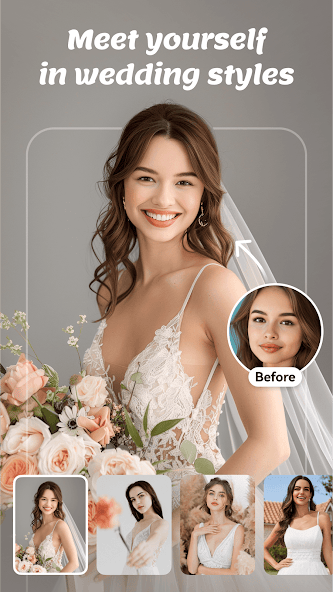
03Dress-up concepts
04Hairstyles and makeup
05Headshot looks
06Cartoon treatments
07Photo cleanup
08Background cutouts

Photo Booth

From a single upload to a quick set of share-ready directions.

The store listings highlight AI hug videos, dance clips, dress-up, hairstyles, headshots, cartoon styles, filters, makeup, quality enhancement, and background removal.
JoyTu magic hug video effect preview
Magic Hug
JoyTu live meme effect preview
Live Memes
JoyTu LinkedIn headshot generator screen
Headshots
JoyTu AI avatar and yearbook style preview
AI Avatars
JoyTu photo style effect preview
Photo Styles
01

Spark

Pick an effect family for a photo, portrait, or short video idea.

02

Tune

Try a look such as yearbook, cartoon, headshot, hairstyle, or glow-up.

03

Share

Save favorite results and post only the versions that feel right.

Care Notes

Creative pages should still feel clear, accountable, and easy to contact.

Use photos you have the right to edit

AI effects work best when uploads are clear and used with permission from the people shown.

Review every result before sharing

Generated videos and images can vary. Check faces, gestures, and context before posting or saving.

Keep support paths visible

This site keeps contact, deletion, privacy, refunds, and store terms easy to find from every page.

Answers

Need help with the app, a purchase, privacy, or data deletion?

Email contact@dreamer-ai.net. Include the store, account identifier, and order ID when your message is about billing.